

Who PriceLabs suits
PriceLabs reads demand in your market and your own bookings, recommends a base price and minimum stay for each listing, and pushes each night's rate to Airbnb, Vrbo and Booking.com directly or through more than 150 property management systems. Every rule you add changes what it does: a floor it won't go under, a discount for the last week, a price for the one-night gap between two stays.
A tool like this pays for itself when someone looks at it. If a listing is booked every night of the month, check its price before you celebrate: it may simply be too cheap, and the rules are where you fix that.
Buy it if
- You run 5 to 50 listings on Airbnb or through a PMS and want one price that gets cheaper per listing as you grow.
- You want rules at three levels: the whole account, a group of listings, or one listing, with the most specific one winning.
- You'd rather check a price than trust it: every night shows the factors behind it.
Skip it if
- You won't set rules or look at the calendar. The defaults leave money on the table.
- Your team works from Gmail or Yahoo addresses: team access needs your company's email domain.
- You're on a paid Hospitable plan, which includes its own dynamic pricing.
PriceLabs pricing at 10, 25 and 50 listings
PriceLabs charges for each listing that syncs, in tiers that fall as you add listings. In the US the first listing is $19.99 a month, then $14.99 each up to 5, $12.99 up to 15, $8.99 up to 25 and $6.99 up to 50. It bills at the end of each month for the listings that synced in it.
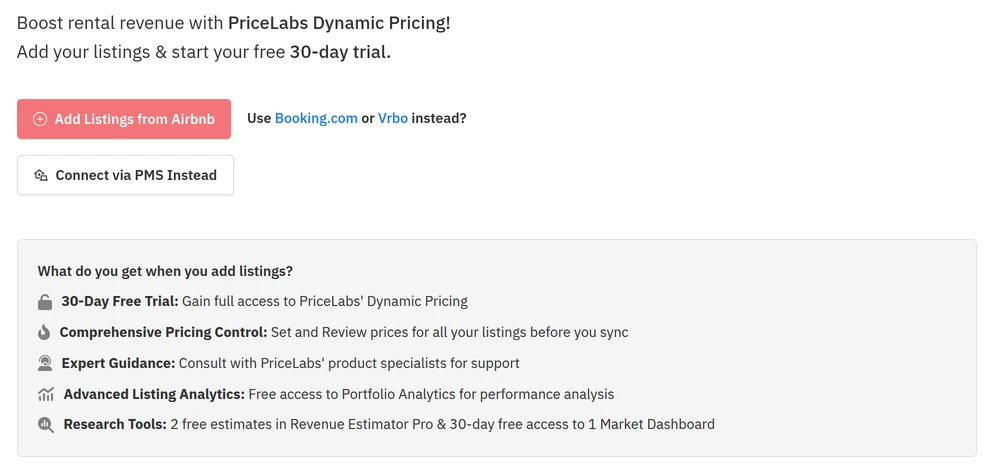
The trial starts the day you add your first listing, and a new account offers three ways to add one: from Airbnb, from Booking.com or Vrbo, or through your PMS. A demo listing, made from an address, a base price and a bedroom count, prices every night of your calendar before you connect anything, though it can never sync; if Create Demo Listing isn't on your welcome page, support can switch it on. The trial's two free revenue estimates and its free market dashboard come only with a connected listing: with a demo listing priced, our account still had no estimates, and a new dashboard asked for a card.
| Plan | 10 listings | 25 listings | 50 listings | What it covers |
|---|---|---|---|---|
| Dynamic Pricing | $144.90 | $299.75 | $474.50 | Daily rates and minimum stays, 30+ customizations, portfolio analytics, one automatic sync a day |
| Per listing | $14.49 | $11.99 | $9.49 | The average: $19.99 for the first listing, then $14.99, $12.99, $8.99 and $6.99 as you pass 1, 5, 15 and 25 |
| Extra daily sync | +$10 | +$25 | +$50 | $1 a listing a month for each extra automatic sync; manual syncs are free |
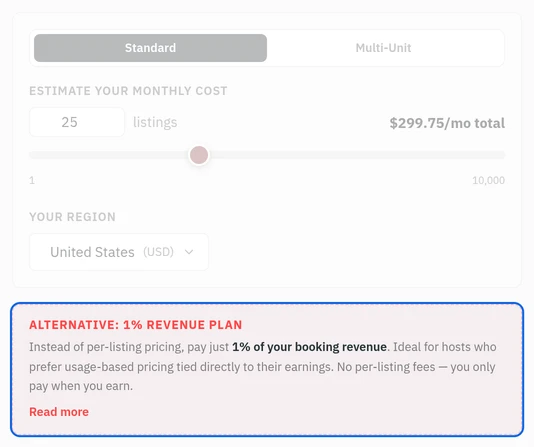
Monthly, in US dollars, before tax. The 1% plan charges 1% of the booking revenue of every stay in the month, across the whole account; you switch it on by writing to support, and you can't go back to the flat plan for a year.
What you'll work in every day
A calendar that shows its reasons
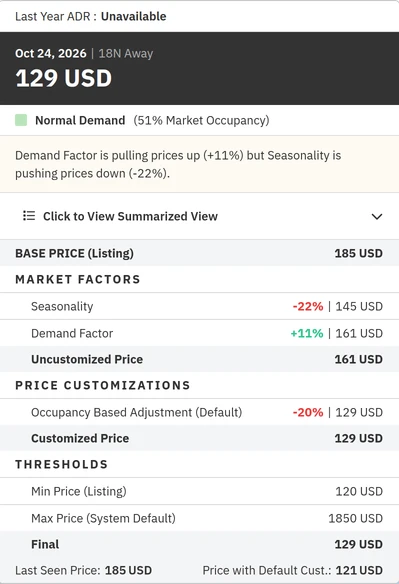
Each listing has a minimum, base and maximum price, and every night on the calendar opens to show how it got its rate: the base price, the market factors such as season and demand, then the customizations, each marked as PriceLabs' default or one you set. Leave the minimum empty and PriceLabs uses a safety floor of 30% of the base price.
Team access, area by area
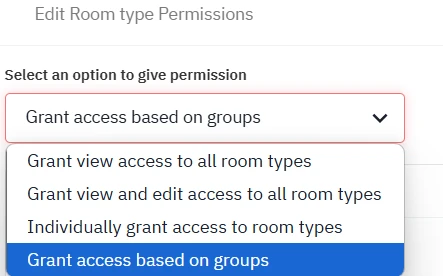
The account admin adds each team member and sets what they can do in each area, from the listings they can price to billing, and a log shows who changed what. It's switched on by request through support: the trial account we opened had no Team Settings at all, and PriceLabs grants it only when every member's email is on your company's domain, not Gmail or Yahoo. A new member starts with no access at all.
Rules you can write before a listing
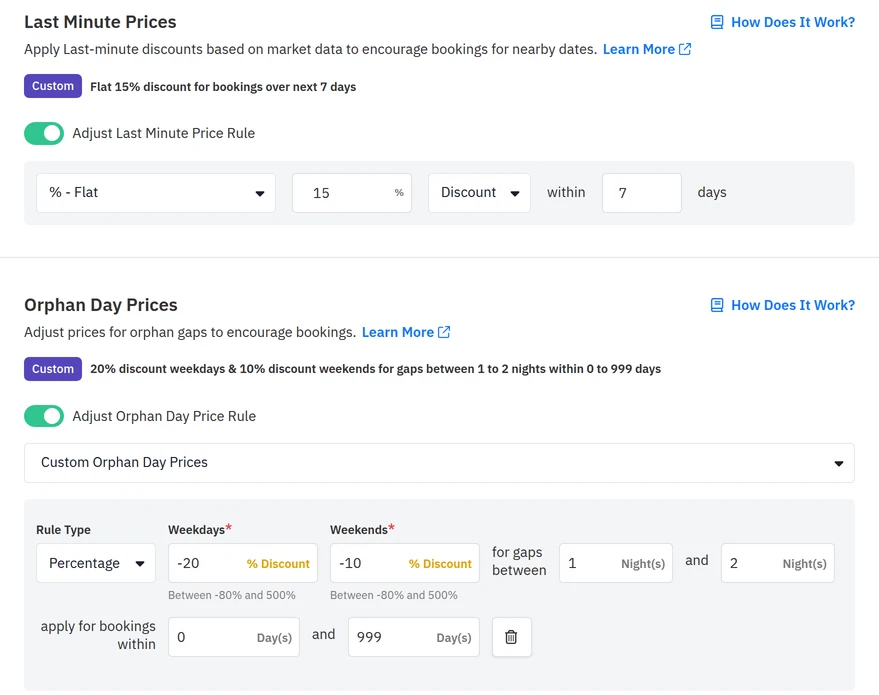
The rules don't wait for a listing. With nothing connected, we made a group and gave it a flat 15% off the last 7 days, and 20% off weekday gaps of one or two nights, 10% at weekends. PriceLabs summed up each rule in a line, and every listing you later add to the group takes them. Its minimum-price rules start hidden: switch them on in the Control Panel before you look for them.
Weakest at: it does what you tell it
PriceLabs has more than 30 customizations, and a portfolio set up carelessly gets priced carelessly. Rules apply by level, listing over group over account, and minimum-stay settings don't mix across levels, so one listing-level minimum stay replaces the account's whole set for that listing.
It also pushes rates once a day on the standard plan. Each extra automatic sync is $1 a listing a month, and a manual sync is free whenever you run one.
Give it your hardest week before Wheelhouse gets the same
Connect the same listing to PriceLabs and Wheelhouse with syncing off, set the same floor in both, and pick a week that already has a problem in it. Both will also price a home you describe by its address: on our test pool home in Kissimmee, PriceLabs' demo listing and Wheelhouse's hypothetical one came within $4 of each other on all three nights we checked, so it takes your own bookings to tell them apart.
A one-night gap between two bookings: does it price the gap to sell, or leave it empty at full rate?
Next weekend: is the last-minute price above your floor and in line with what you'd charge?
Your market's biggest event in the next 90 days: can you see why it priced the night as it did?
A minimum stay: set one on the listing and check which rules it overrode.
Keep the tool whose prices you'd leave alone and whose reasons you can read. PriceLabs vs Wheelhouse compares the two rule by rule, and the best Airbnb pricing tool comparison adds Beyond and Hospitable. AirDNA vs PriceLabs sets it against AirDNA's Adapt, and the AirDNA review says when AirDNA's market data is worth its $299 a year.
Hand the calendar to someone who checks it
The rules are set once; the calendar needs looking at every week, for the event the market data missed and the holiday floor that's too low. Give that person a PriceLabs login on your company's domain before they start, with edit rights to the listings they price and no access to billing.
Our property-management assistants train on PriceLabs before they start and run your pricing tool within the rates, minimum stays and discounts you set. See what an Airbnb virtual assistant takes off your plate, or book a free consultation.